How to use break-out rooms
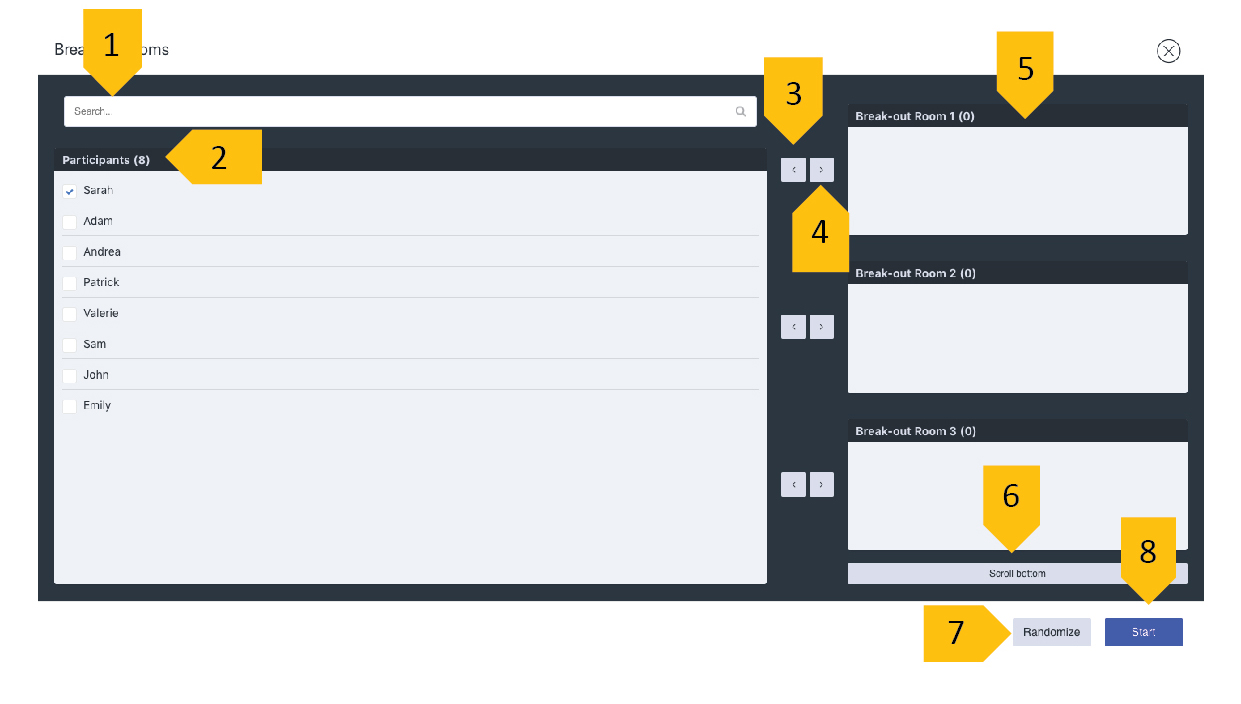
1. Search - you can look for attendees by name.
2. List of attendees - here is the list of all the participants of your event.
3. Left pointing arrow - this arrow moves
the participant back in the main attendee list.
4. Right pointing arrow - this arrow moves the participant to the breakout room of your choice.
5. List of breakout rooms – a list
of all the rooms available for participants.
6. Scroll button – allows you to scroll down (or up) to the other rooms.
7. Randomize – you can assign your attendees into rooms randomly
8. Start – clicking it you will start the breakout room session
Adding Attendees to Breakout Rooms
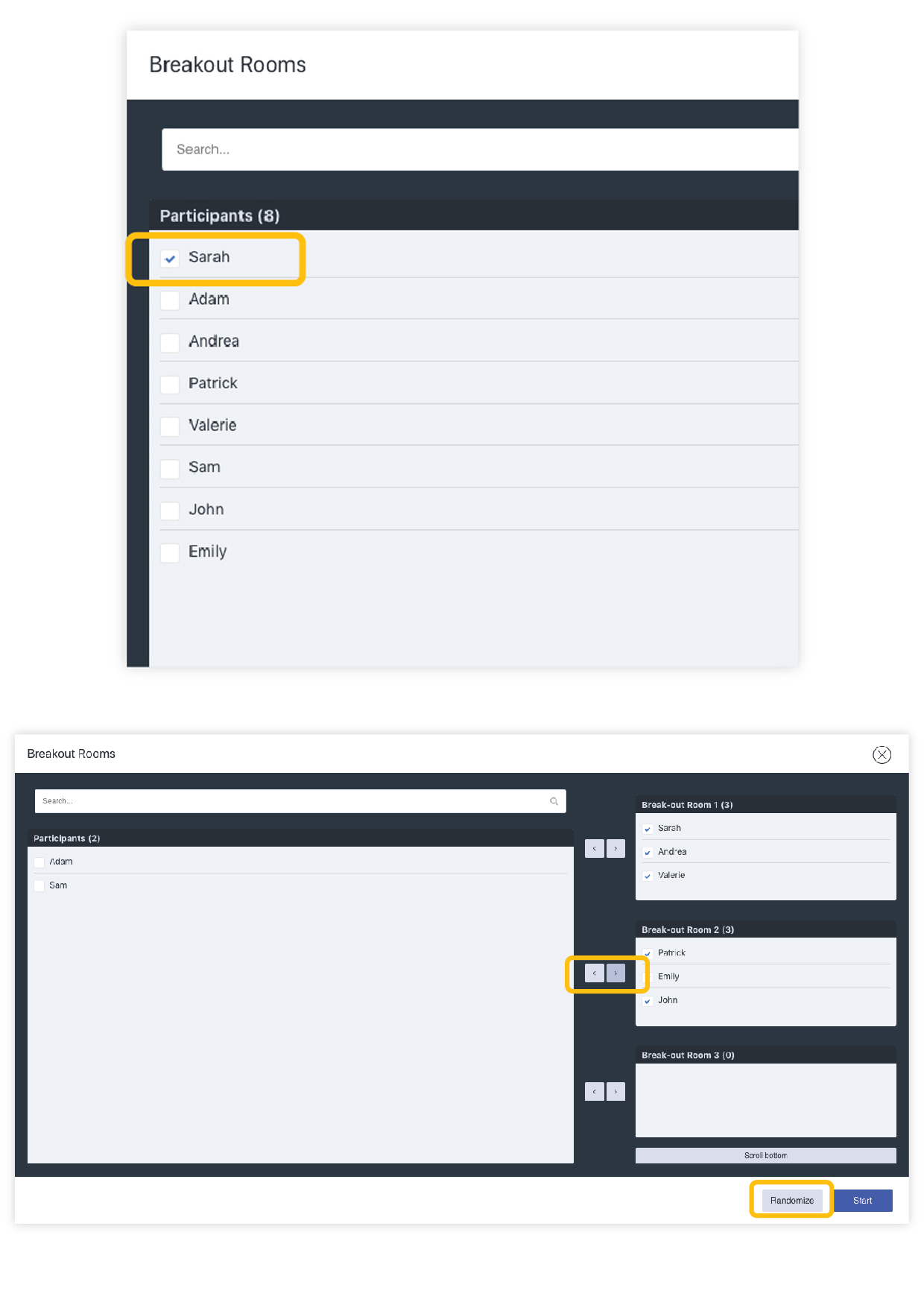
1. Mark the name of the participant to add them to the breakout room
2. Next, click on the right pointing arrow to add an attendee to the room. You can also add participants to the room by dragging and dropping their
names into the selected room.
3. If you’d like to assign your attendees to rooms at random, click “Randomize”.
4. Once all of your attendees are in their selective rooms, click “Start” to begin the session.
In
the case that a user joins the webinar during an active session of breakout rooms, as the host, you can still assign them to the room with the help of the “Manage” button (as seen on the following screenshot). This function
will take you back to the breakout room window and you can manually assign the new attendee to a room.
Starting a session in Breakout Rooms
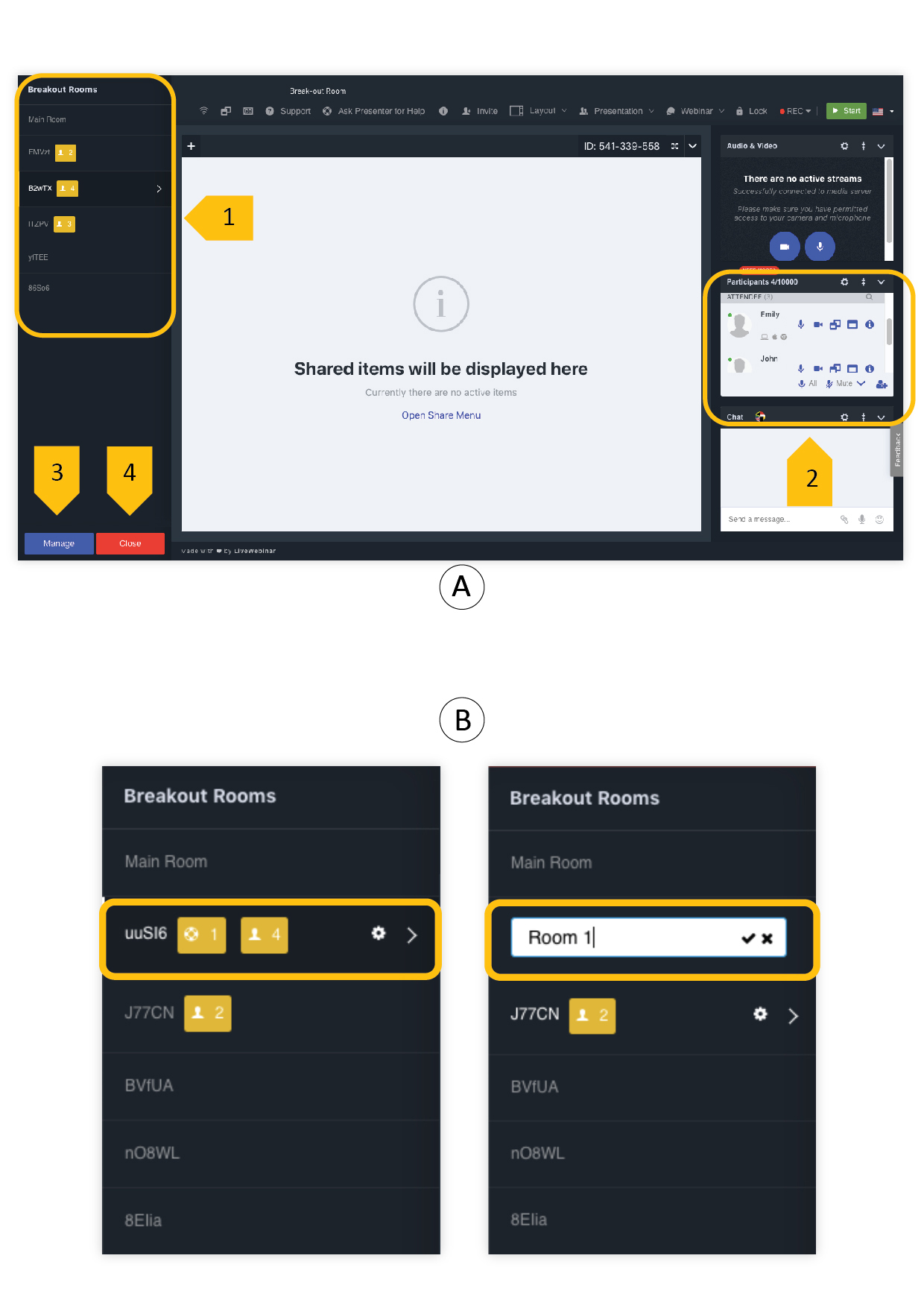
Once you click on “Start” button, a menu will appear on the left side of your room. You can choose from the rooms which you created as shown on the screenshot below.
1. List of active breakout rooms.
2. List of attendees
who are in the selected breakout rooms.
3. “Manage” button – after clicking you will be redirected to the breakout room window.
4. “Close” button – clicking this will end the session of breakout rooms.
Manual How to change the name of a room?
Our
app allows you to change the name of the breakout room if need be. To do so, hover the mouse pointer over the room who’s name you’d like to change, and click on the cog icon that appears. Edit the name in the field that
appears, and once you’re done, simply click the checkmark.