VOTE MANAGER
VOTE MANAGER
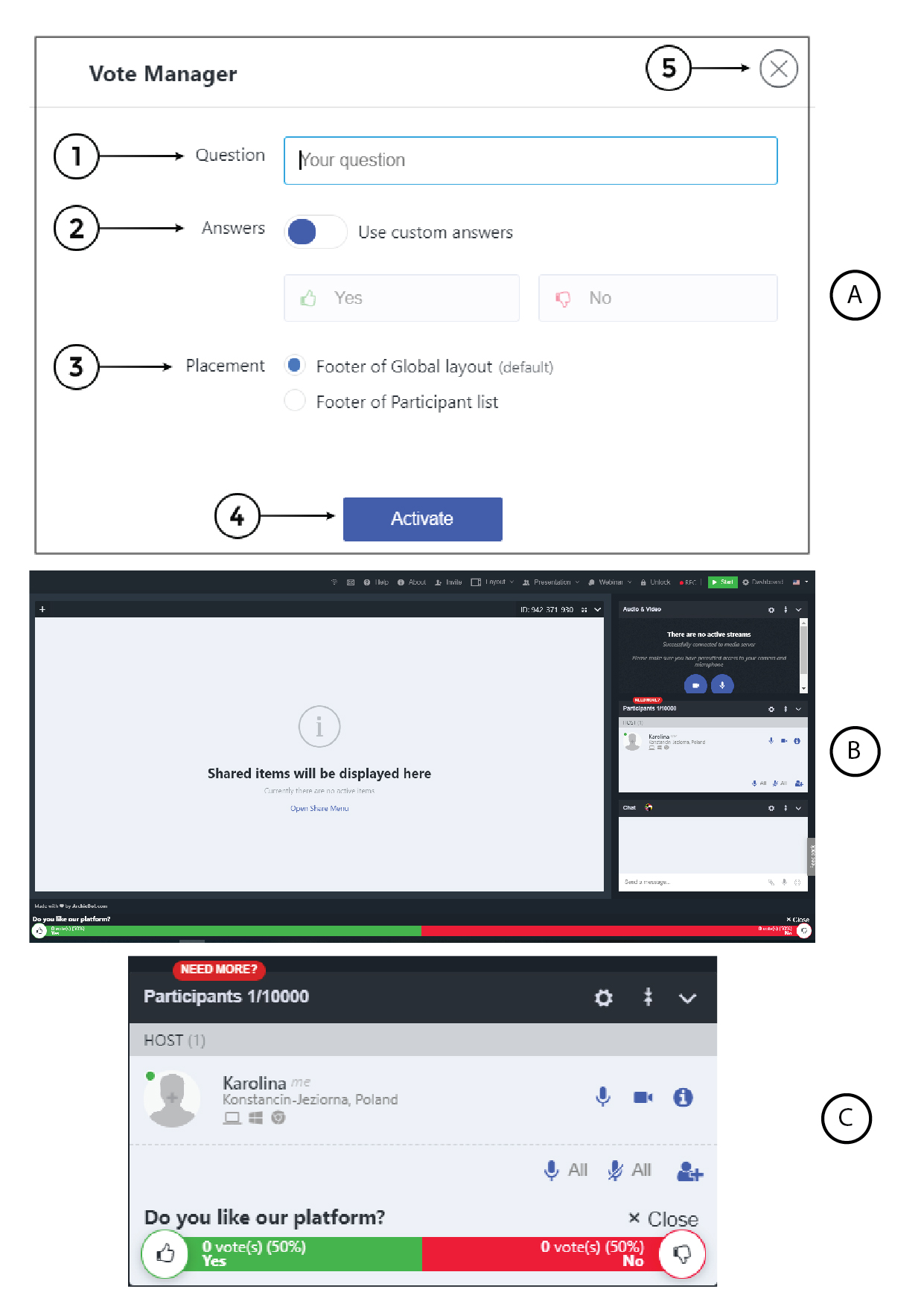
1. Question - here you can type your question
2. Answers - can be default (Yes/No) or your own if you enable “Use custom answers”
3. Placement - the survey can be displayed
on the Footer of Global layout or Footer of Participant list (please see Placement)
4. Activate - clicking it will activate the survey
Placement
You can choose between two placements of your footer for voting.
a) Footer of global layout
b) Footer of participant list