SCREEN SHARING
DESCRIPTION
This option allows you to share your whole screen or application window with other participants. It is available on Chrome, Firefox and Opera browsers.
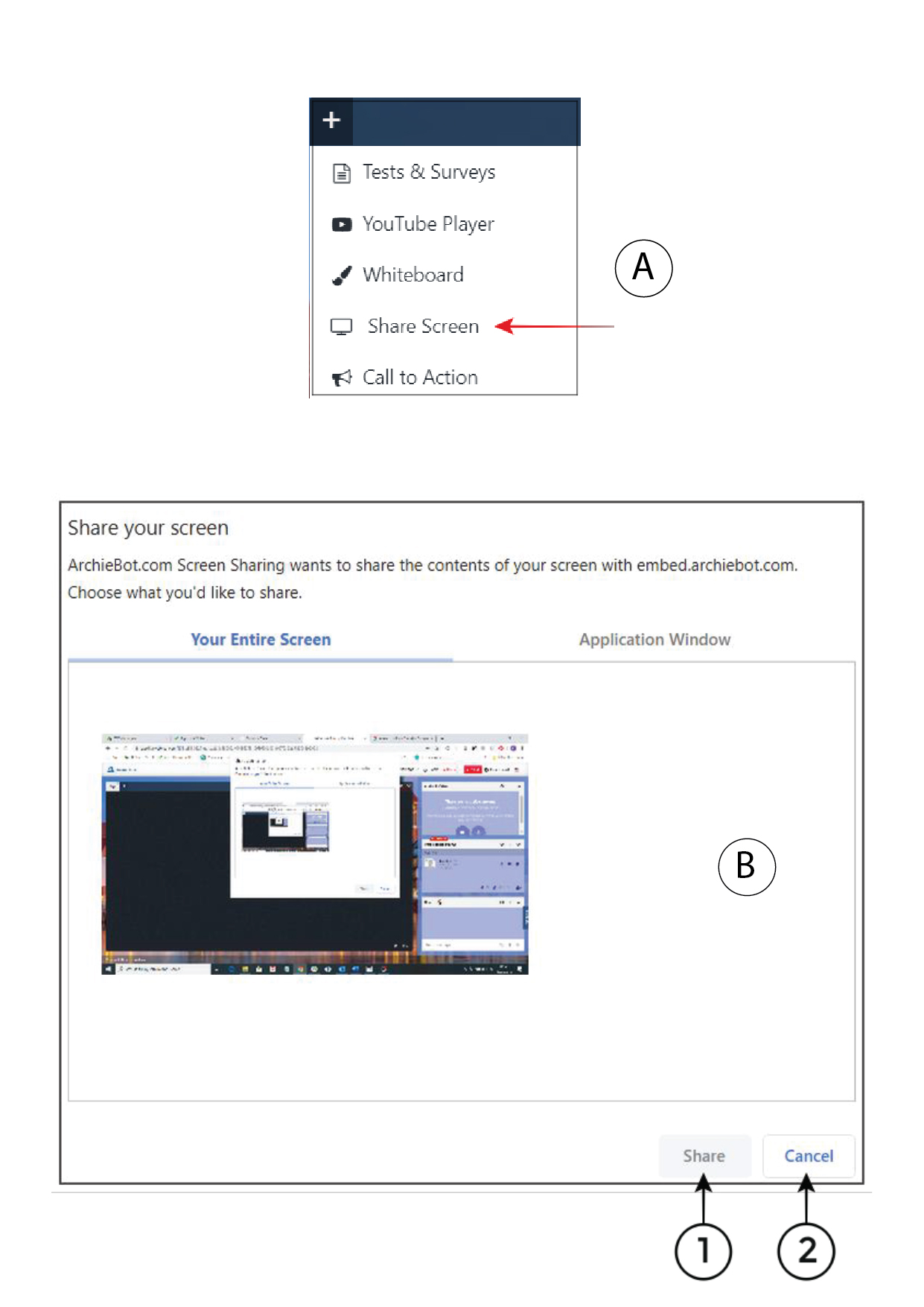
You can find this option in menu signed with “+” in the left upper
corner. (A)
Share Entire Screen
It allows you to share your entire screen with other participants.
Share Application Window
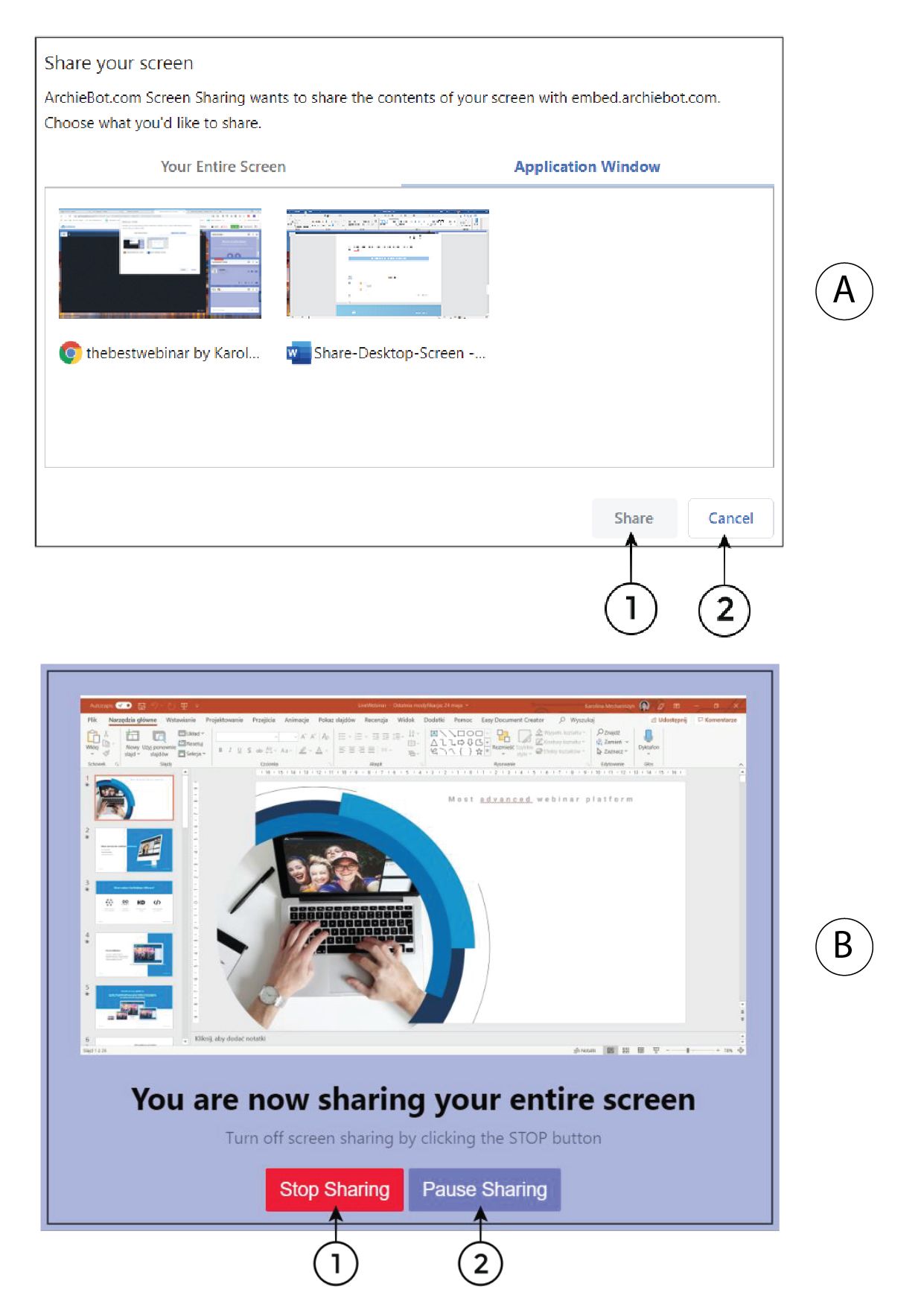
Share Application Window
It allows you to share chosen application window on your computer if you do not intend to present your entire screen.
1. Share – to share your entire
screen with other participants
2. Cancel – to cancel your choice
Stop Screen Sharing
To stop screen sharing please choose 1 and to pause sharing please choose 2.