ROOM COMPONENTS INSTRUCTION – NAVBAR
NAVBAR
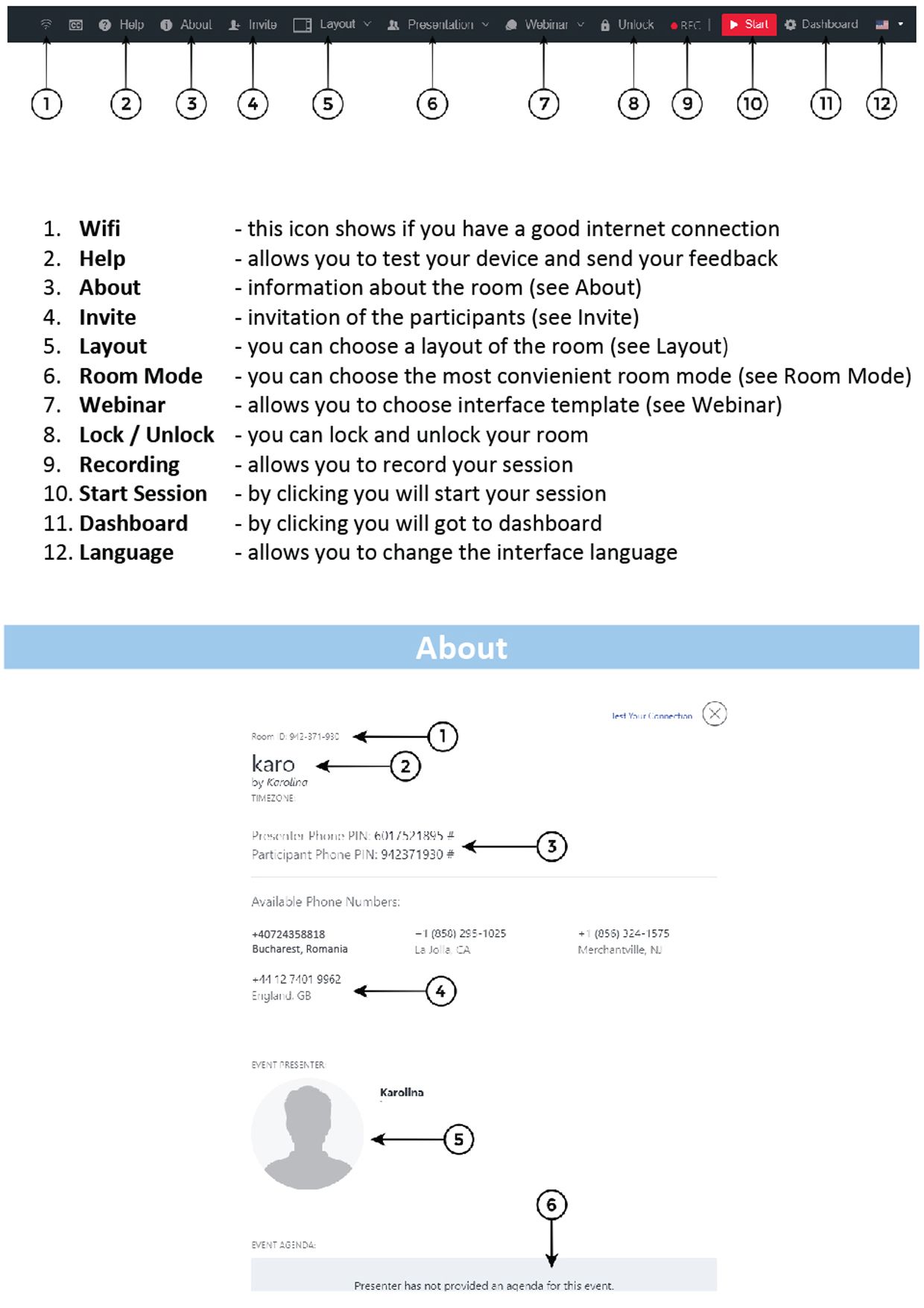
1. Wifi
- this icon shows if you have a good internet connection
2. Help
- allows you to test your device and send your feedback
3. About
- information about the room (see About)
4. Invite
- invitation of the participants (see Invite)
5. Layout
- you can choose a layout of the room (see Layout)
6. Room Mode
- you can choose the most convienient room mode (see Room Mode)
7. Webinar
- allows you to choose interface template (see Webinar)
8. Lock / Unlock
- you can lock and unlock your room
9. Recording
- allows you to record your session
10. Start Session
- by clicking you will start your session
11. Dashboard
- by clicking you will got to dashboard
12. Language
- allows you to change the interface language
ABOUT
1. Room ID
2. Name of the Room
3. PIN for both presenter and participant required for phone bridge
4. Phone numbers required for phone bridge
5. Presenter Photo
6. Event Agenda
INVITE
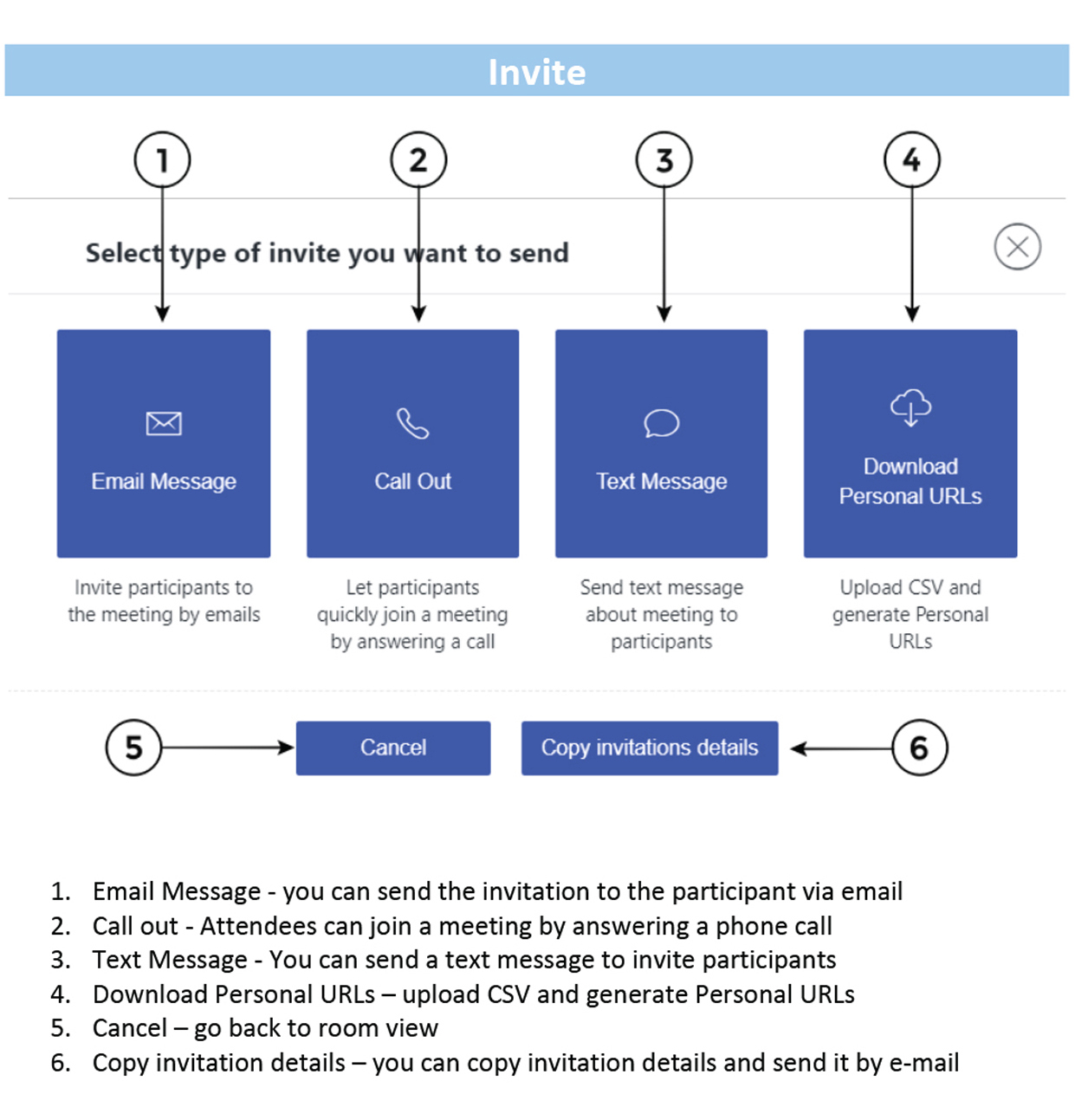
1. Email Message
- you can send the invitation to the participant via email
2. Call out
- Attendees can join a meeting by answering a phone call
3. Text Message*
- You can send a text message to invite participant
4. Download Personal URLs
- upload CSV and generate Personal URLs
5. Cancel
- go back to room view
6. Copy invitation details
- you can copy invitation details and send it by e-mail
* Only for Enterprise accounts
LAYOUT
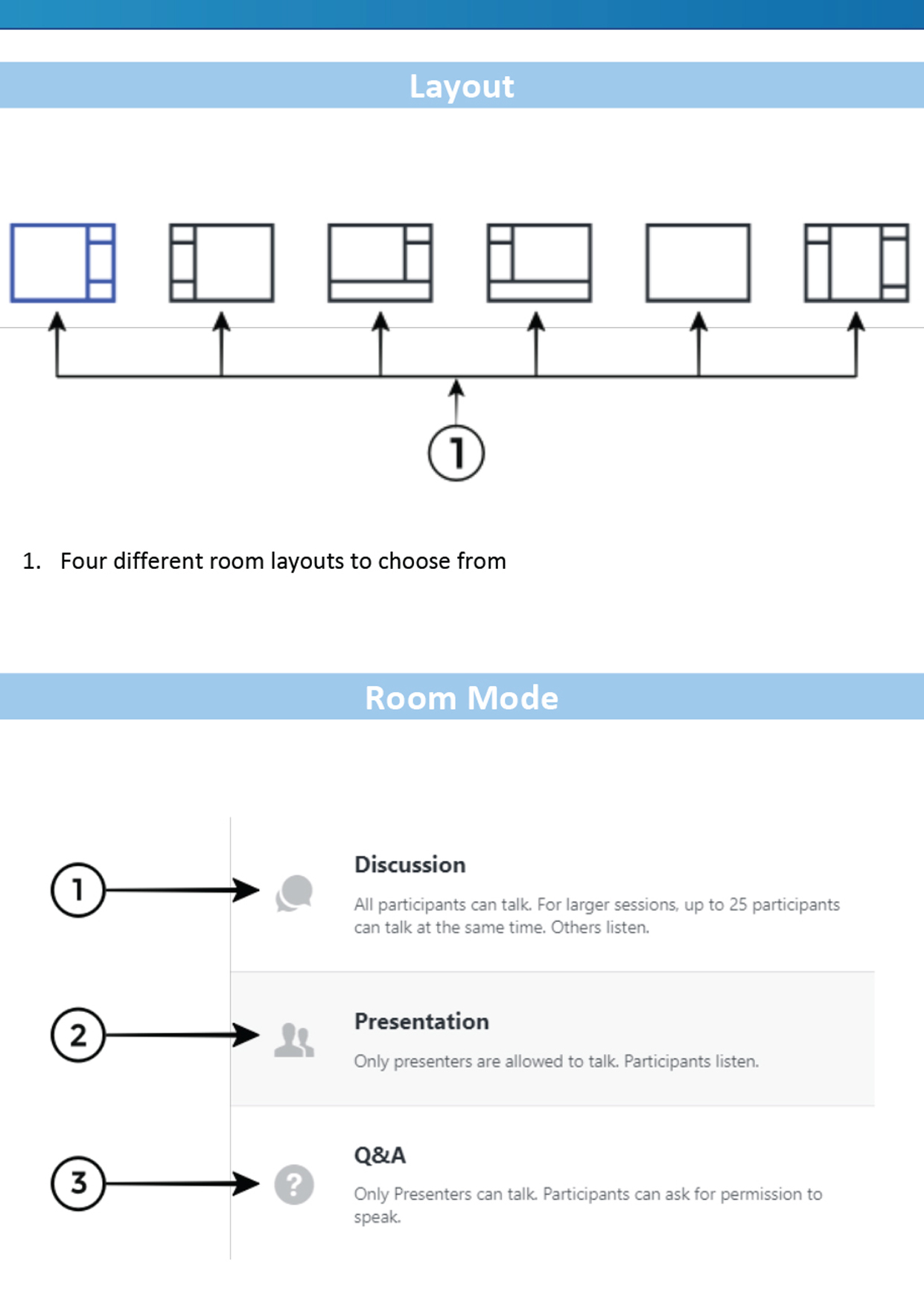
1. Layout
- Four different room layouts to choose from
ROOM MODE
1. Discussion
- all attendees can talk. Up to 25 attendees can talk at the same time.
2. Presentation
- only presenters are allowed to talk. Attendees listen.
3. Questions & Answers
- -only presenter can talk but attendees can ask for permission to speak.
WEBINAR
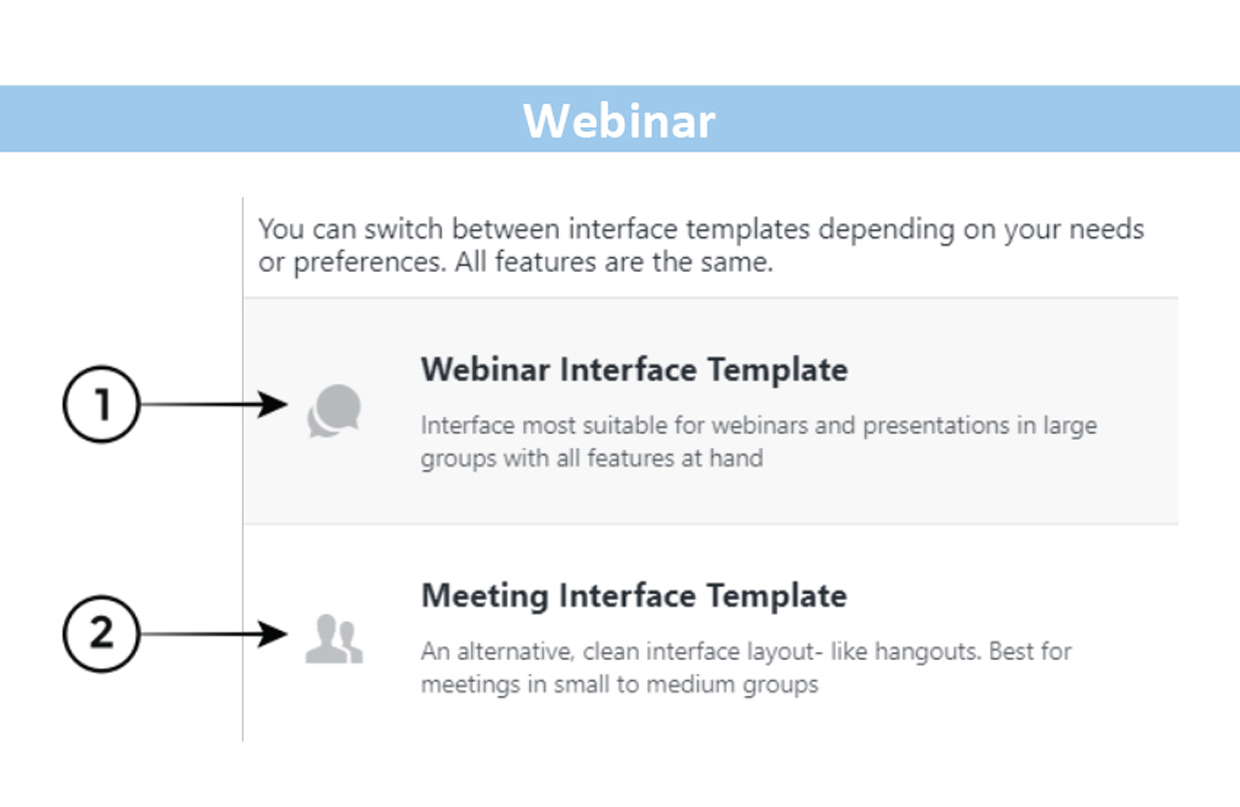
1. Webinar Interface Template
- recommended for webinars and presentations in large
groups with all features in hand
2. Meeting Interface Template
- recommended for small meetings with interface layout
similar to hangouts