CHAT
CHAT WINDOW
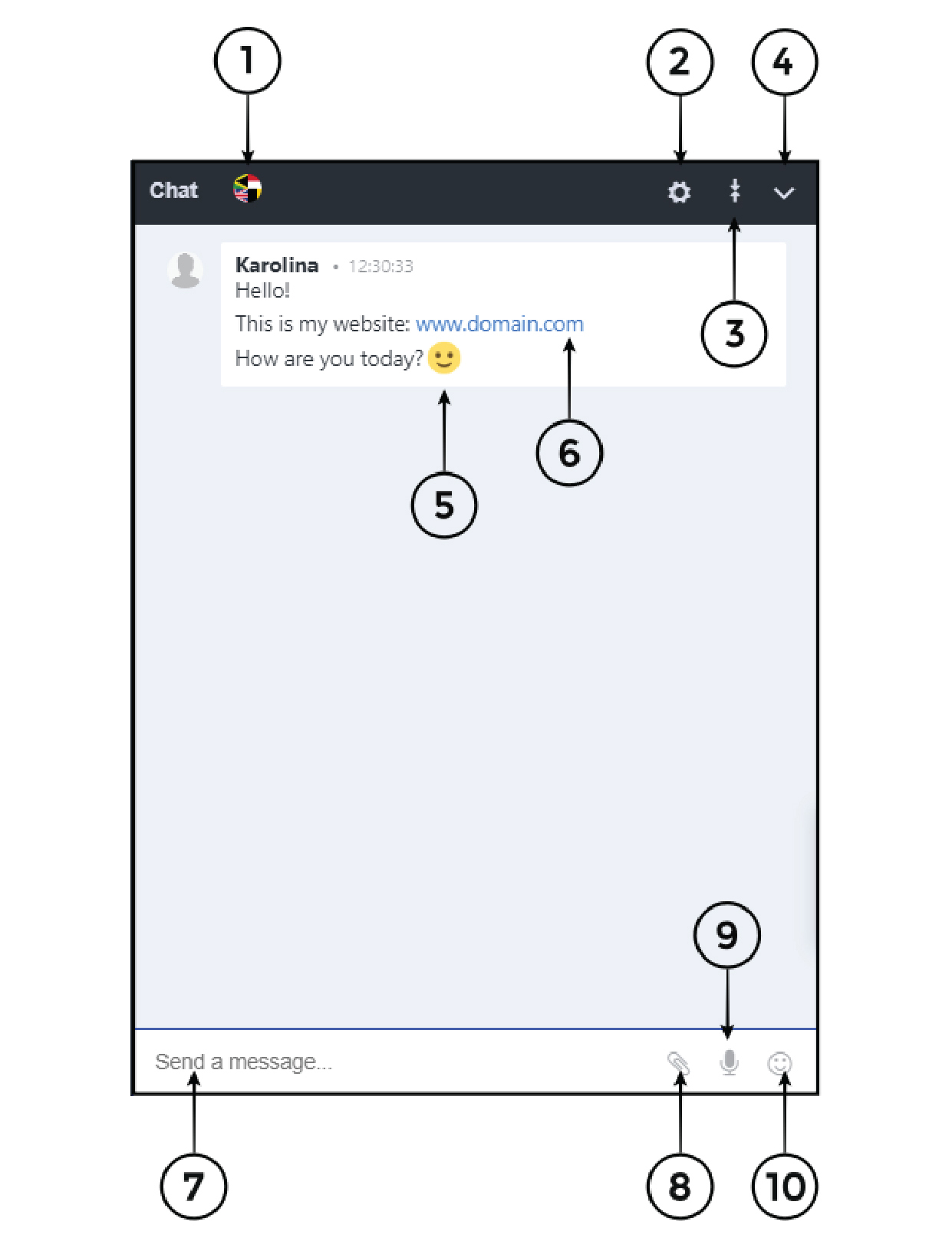
1. Chat translations
2. Chat menu – see the explanation of all the options in the chat menu below
3. Expand/collapse view
4. Hide and unhide chat window
5. Emoticons – the list of all most popular emoticons. You can have them turned on or off (it means that when somebody will put a smiling face it can appear as emoticon or as :)
6. If
you will write and URL address in the chat window it can automatically appear as a link (you can have it turned off as well)
7. Send a message – here you are typing what you want to say to the rest
of the attendees
8. Send attachment – you can send attachments
9. Send a voice recording – allows you to record and send this record on chat window
10. Emoticon – it can appear as emoticon or as :)
Chat menu
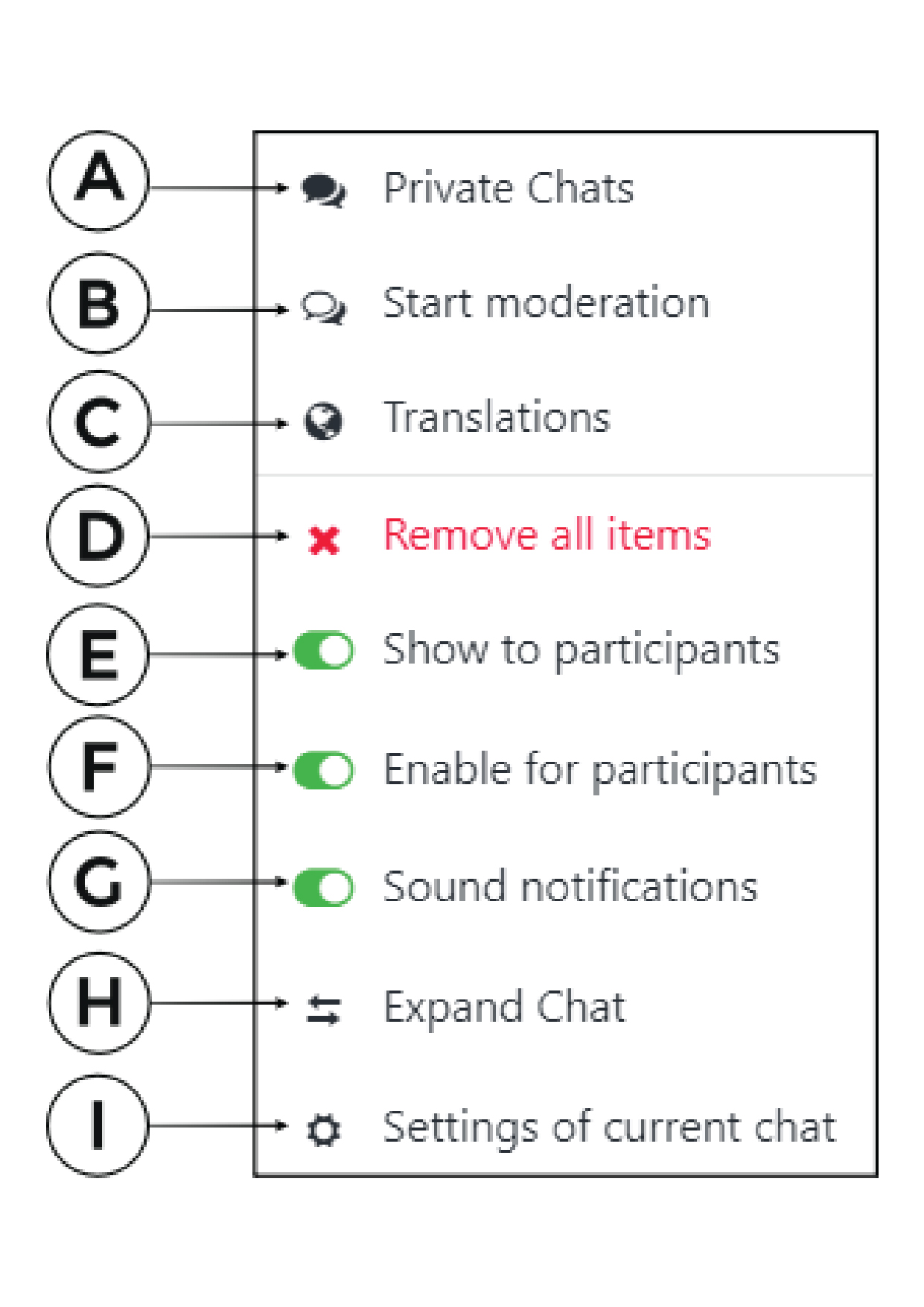
A. Private Chats – it allows you to chat with chosen group or participants
B. Start moderation – if you are a host, a moderator or a presenter you can moderate the chat and show only these
sentences which you will choose
C. Translations – you can translate our chat into 104 languages
D. Remove all items – you can delete all the items which are in the chat
E. Show to participants – you can show / hide the chat window so the attendees will not see it
F. Enable for participants – you can turn on / turn off the chat for the participants
G. Sound notifications – you can turn on / turn off the sound notifications for chat
H. Expand Chat – you can resize chat (it will be shown in the bigger window)
I. Settings – here you can choose the color
of the chat background, chat text and font size
Additional explanations
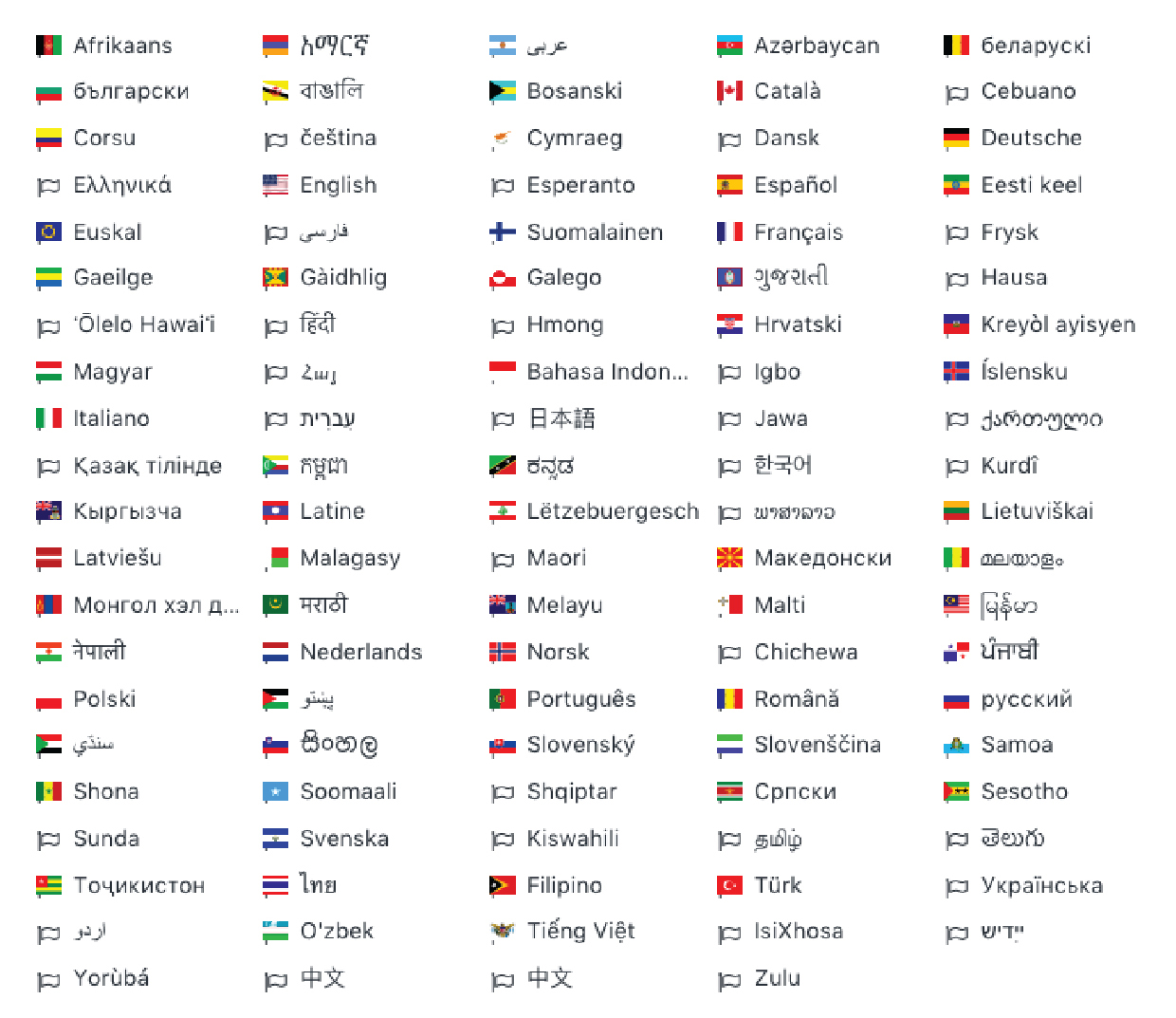
Chat translations – you can translate the chat into 104 languages. This tool helps you to talk with people around the globe without any problems even if you don’t know the language.
You can choose which language you
want the sentence to be translated to. Below please find the list of all languages you can use for translation.